User Guide
CaseDiaryAI Platform Guide
Getting Started
Welcome to CaseDiaryAI! Our platform is specifically designed to help legal professionals and law enforcement officers organize, monitor, and audit cases digitally. To begin, register your account and configure your core options.
Go to Settings to input your designation, station details, or official office address. This data will be automatically auto-filled into all case diary sheets and reports.
- Register using your official credentials.
- Enable digital signatures for court-ready document exports.
- Sync with storage providers to automate file backups.
Case Diaries
Case Diaries are the core building block of CaseDiaryAI. You can create digital sheets of daily hearing summaries, witness statements, crime updates, or police diaries.
Case Metadata
Assign court names, FIR details, judge designations, and primary investigation officer names.
Link Parties
Attach complainants, accused individuals, advocates, and witnesses to easily track involvements.
Signed Case Diaries are cryptographically locked and legally binding. Make sure to review all details via the PDF preview before applying your signature.
Document Vault (OCR)
The Document Vault securely stores PDFs, scanned files, and images. All uploaded files go through an automatic OCR (Optical Character Recognition) pipeline.
- Advanced Search: Search text content inside scanned files or photos of physical records.
- S3 Secure Storage: Files are encrypted and stored in Amazon S3 buckets.
- Version History: Rollback to previous revisions of case files.
Supervision Module
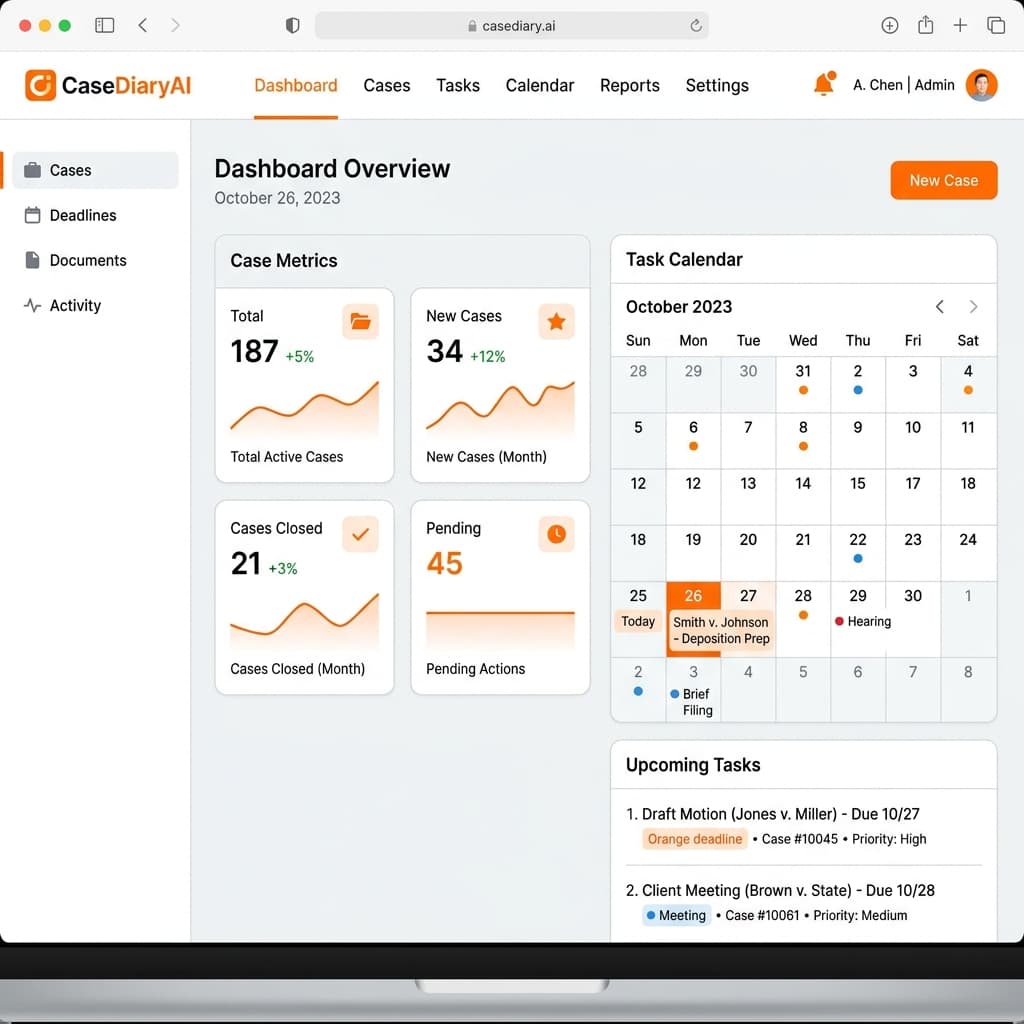
Designed for senior officers, the Supervision Module provides status dashboards, team collaboration logs, task delegation boards, and progress indicators.
Samiksha Module
Samiksha is a dedicated analytics and review workspace. It compares current diary status with historical legal compliance patterns and flags critical missing files or overdue statements automatically.
AI Assistant & Voice Dictation
Dictate your daily case notes using our multilingual voice recorder. The AI assistant processes your recording, removes stutters, translates if necessary (e.g. Hindi/Marathi to English), and drafts structured legal copy.
Ensure a quiet background. You can speak naturally; our AI model understands police terminology, section codes, and local accent nuances.
Billing & Plans
Manage your free tier or premium upgrades inside the Profile section. Track PDF download usage, voice translation limits, and access your invoice receipts.
Invoices
View and download invoices for tax filings or reimbursement claims.
Tier Limits
Check limits on files, AI analysis, and monthly exports.